AI DAM Librarian
Summary
An AI librarian for digital asset libraries. It writes alt text and metadata, keeps tags on an approved vocabulary, flags duplicates and expiring licenses, and works within limits a person sets from a control dashboard.
- Client
- Self-initiated concept
- My role
- UX Designer
The problem
Asset libraries grow faster than people can maintain them. Images go missing alt text, which leaves screen reader users without a description. Tags drift into inconsistent free text, duplicates pile up, and expired licenses slip into live campaigns. Fixing it by hand doesn’t scale, but handing it all to AI without oversight isn’t safe either.
My role
I designed the concept, the agent’s workflow, and the control dashboard. I’m now building a working prototype connected to a mock DAM system.
The research
Before designing, I studied how AI is changing digital asset management. The main lesson shaped everything that follows: AI only helps a clean, well-governed library, and people stay in charge. My research notes also estimate what it would cost to add an AI librarian to a DAM.
The approach
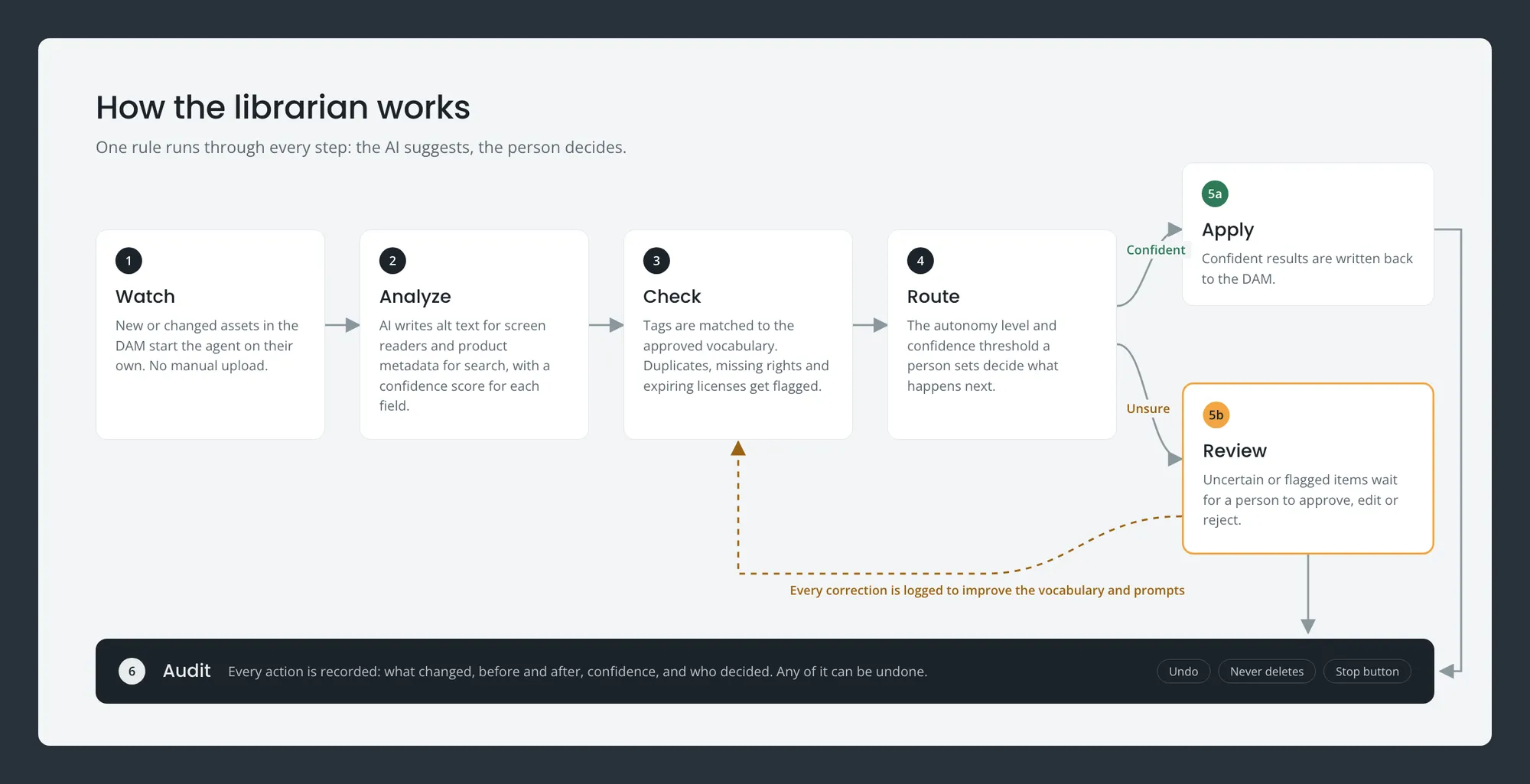
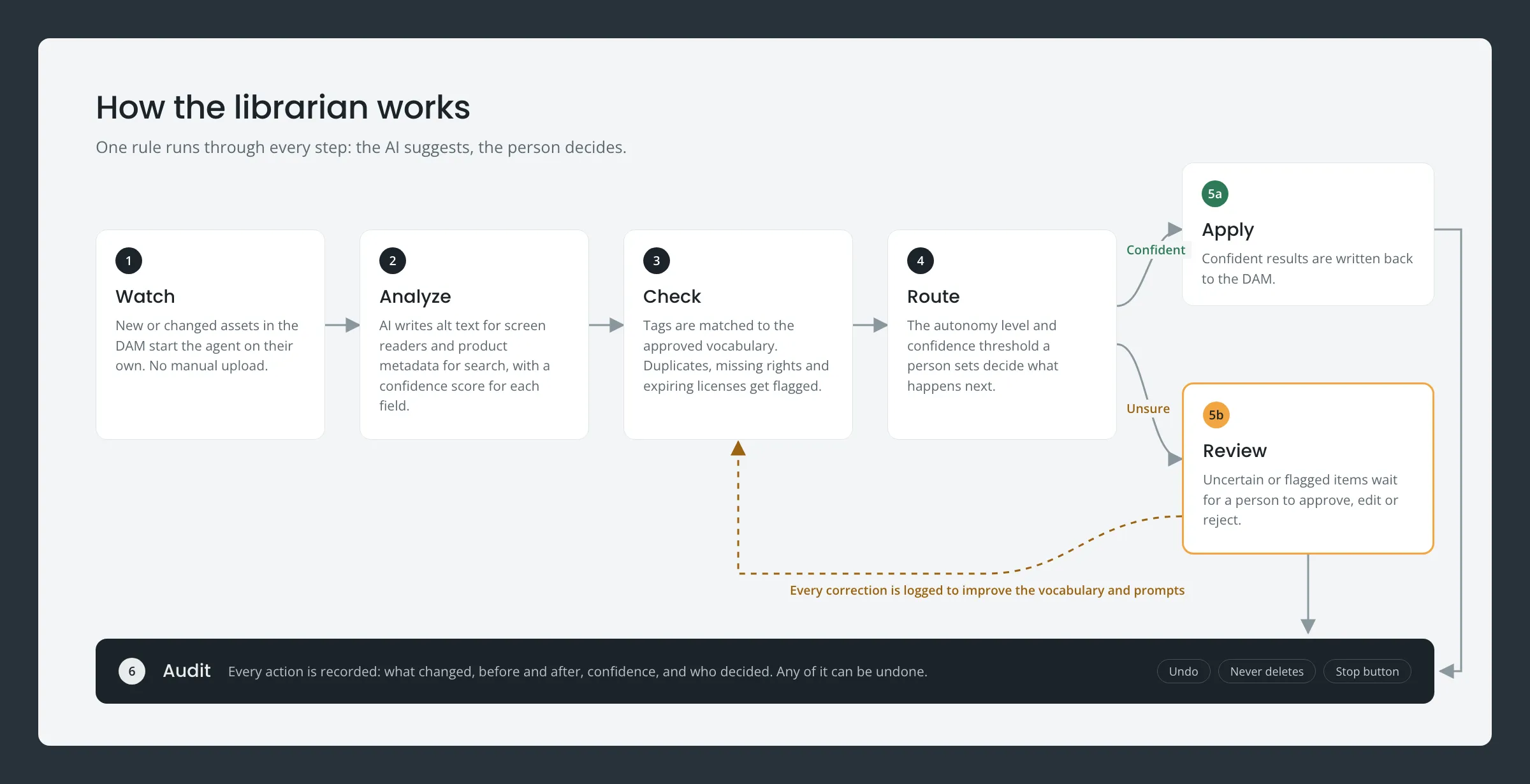
The librarian started as SmartTag AI, a concept that writes accessibility alt text and SEO metadata in one pass, with a person reviewing every tag. Reviewing every tag doesn’t scale, so I expanded it into an agent that maintains the whole library, built around one rule: the AI suggests, the person decides.
- Watch. New assets in the DAM trigger the agent automatically.
- Analyze. AI writes alt text and product metadata, with a confidence score for each field.
- Check. Tags are matched to an approved vocabulary. Duplicates, missing rights info, and expiring licenses get flagged.
- Route. Confident results are applied and uncertain ones go to a review queue, depending on the autonomy level the user sets.
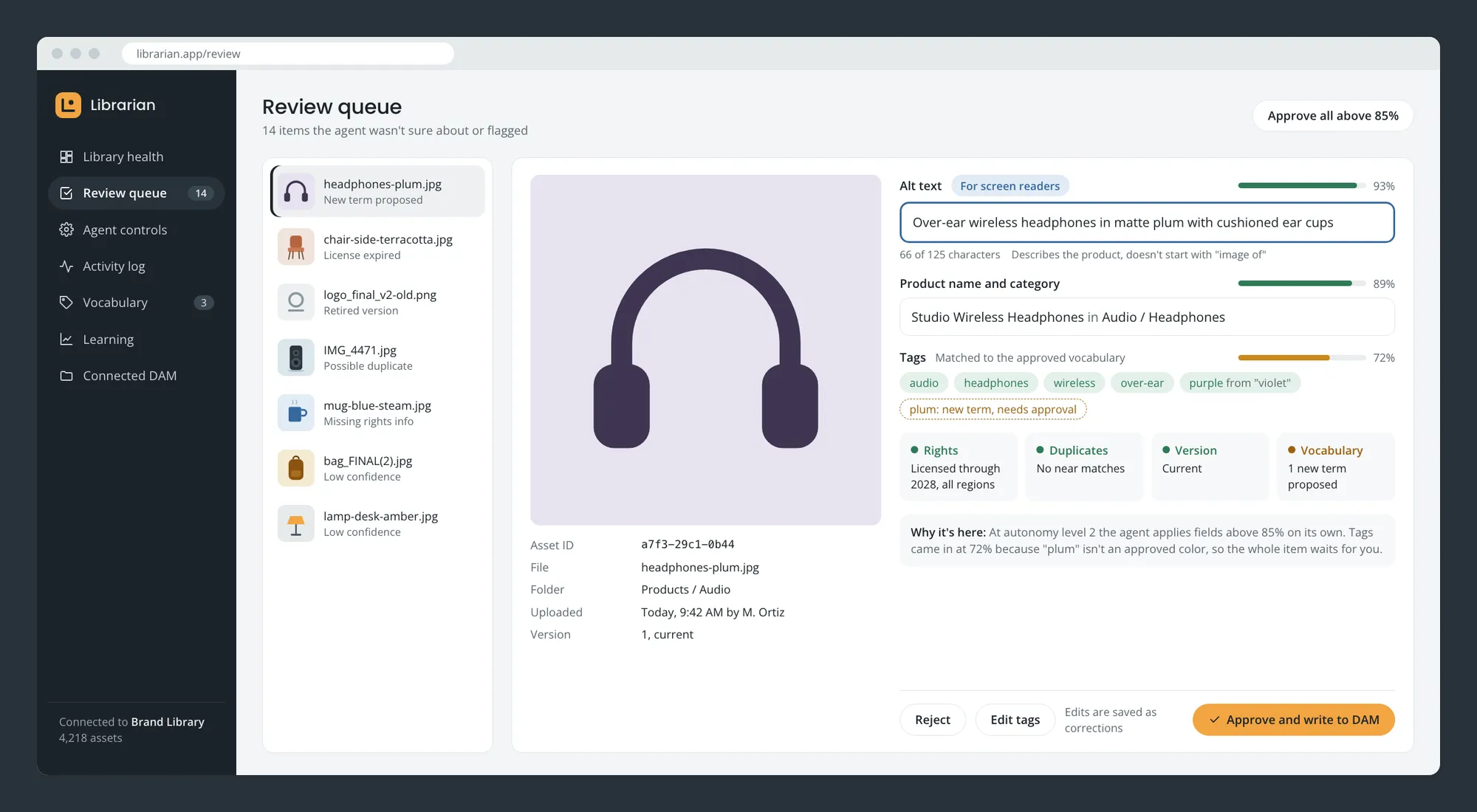
- Review. People approve, edit, or reject. Every correction is logged to improve the system.
- Audit. Every agent action is recorded and can be undone.
The control dashboard
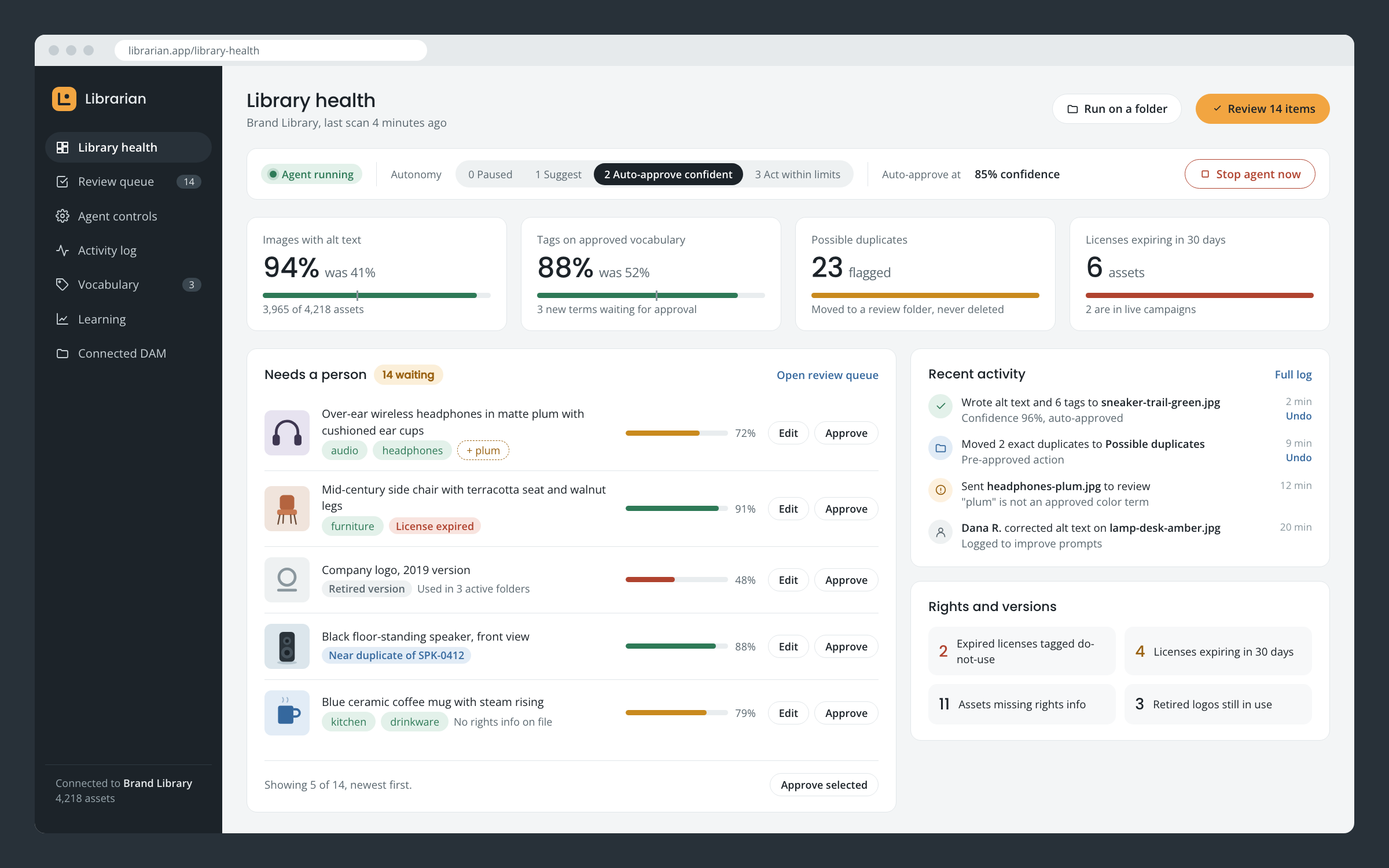
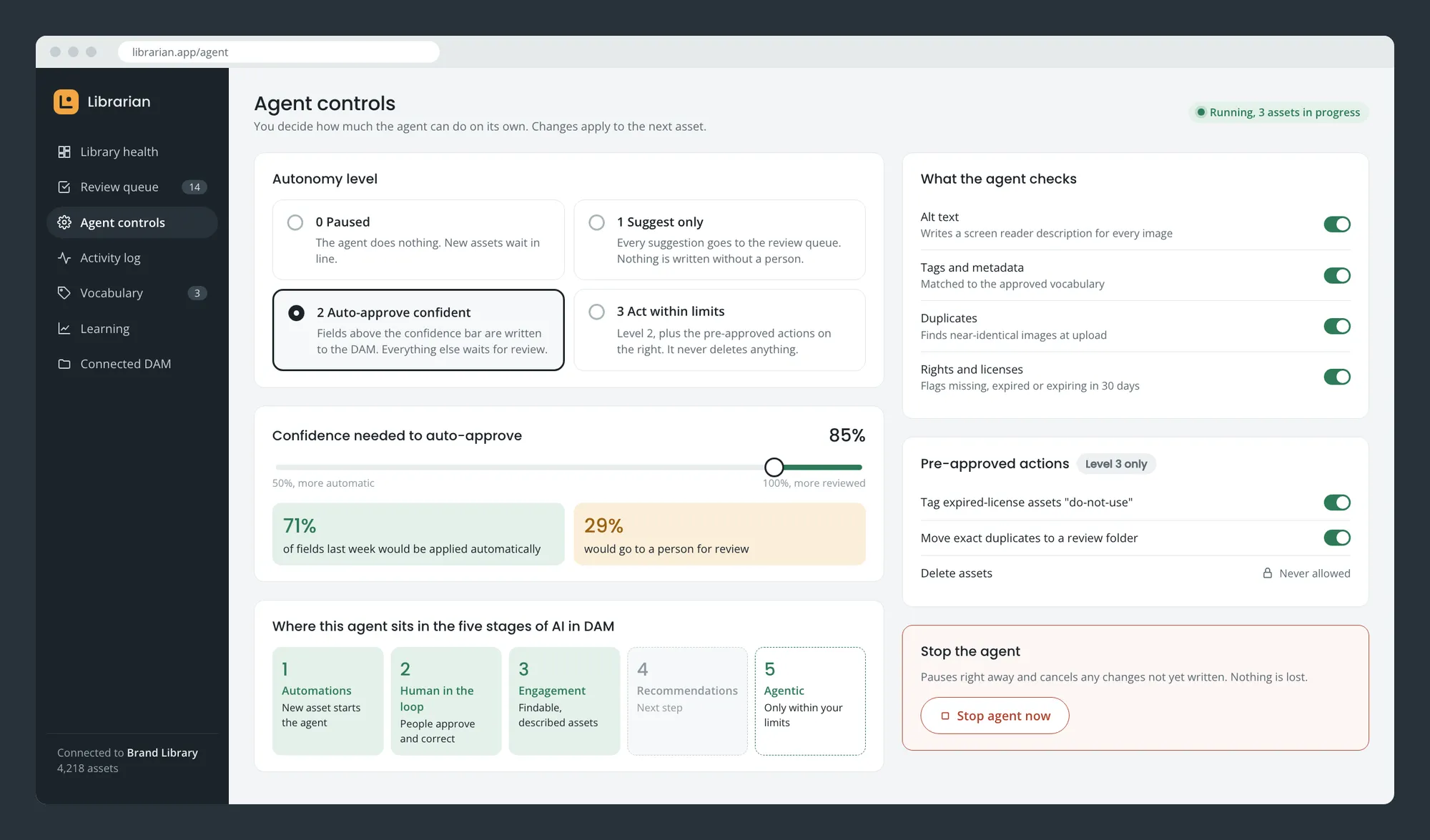
One place to keep the agent in check: pause it, choose how much it can do on its own, set the confidence threshold, work the review queue, and track library health over time. Each setting is explained in plain language, and the agent is never allowed to delete anything.
The result
The dashboard design is complete, and the first part of the prototype is live: a mock DAM full of typical library problems and the Library health view. The agent, review queue, and controls are being built next. Together they show how AI can take on the repetitive parts of library upkeep while keeping people in charge of taxonomy, rights, and brand. Later steps: connecting a real DAM and using logged corrections to improve accuracy.
The live prototype (linked at the top of this page) uses sample images and runs in demo mode with no real AI calls, and any changes you make are visible only to you.
The work
 (opens larger)
The agent loop. Confident results are applied; anything uncertain or flagged waits for a person. 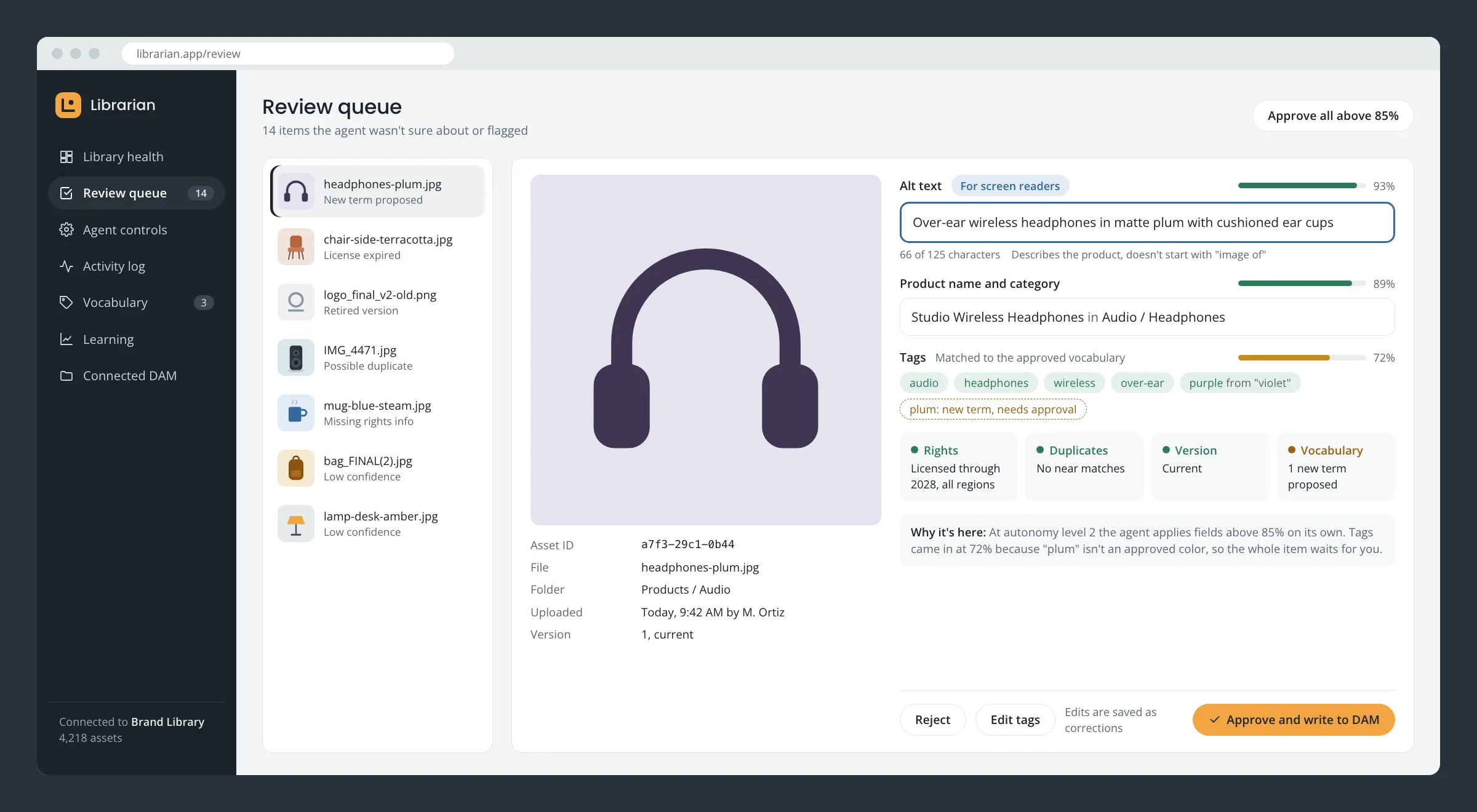 (opens larger)
Review screen. Each field shows its own confidence score and the reason the item needs a person. 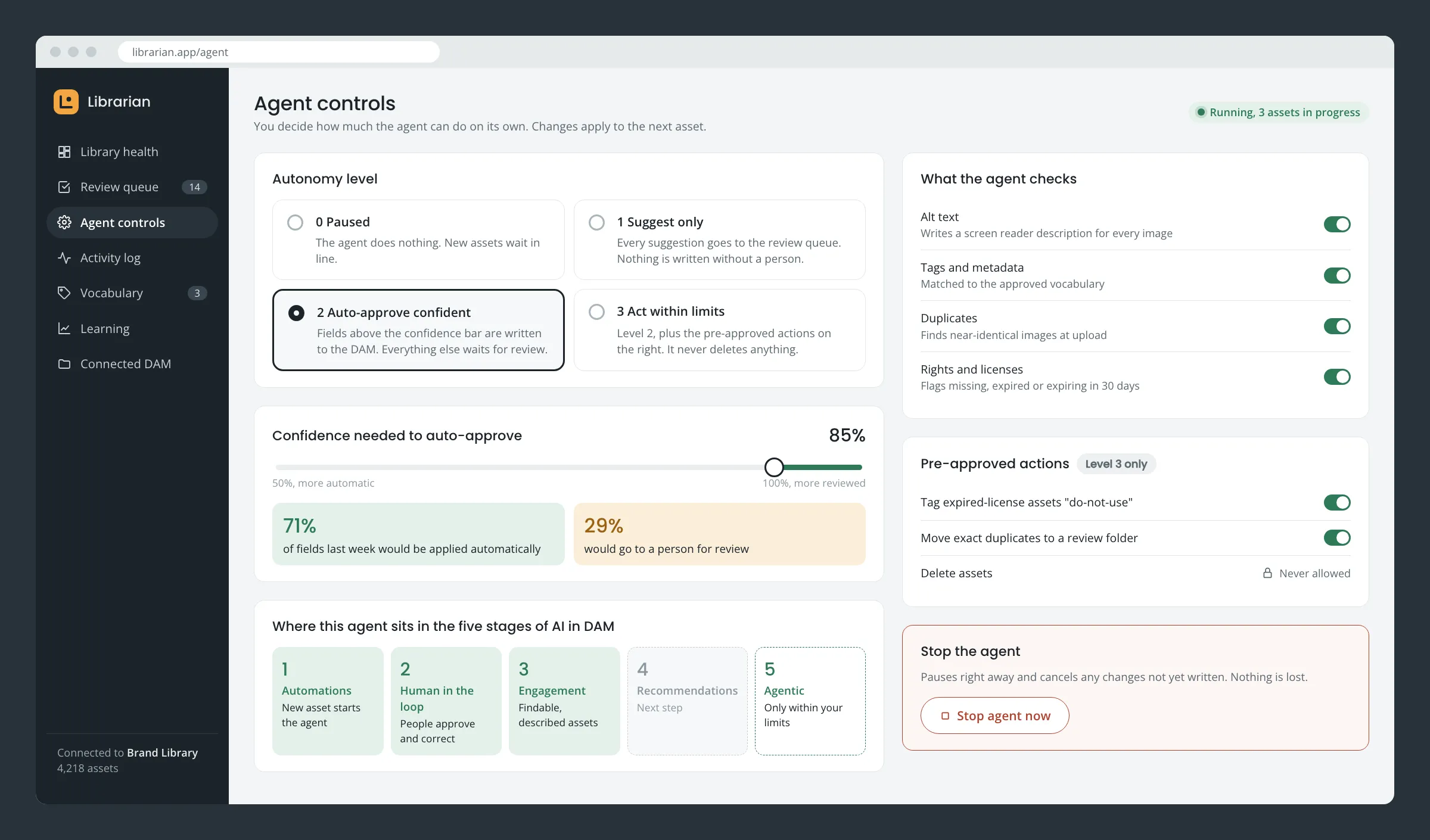 (opens larger)
Agent controls. Autonomy level, confidence threshold, checks, and a stop button, each explained in plain language. 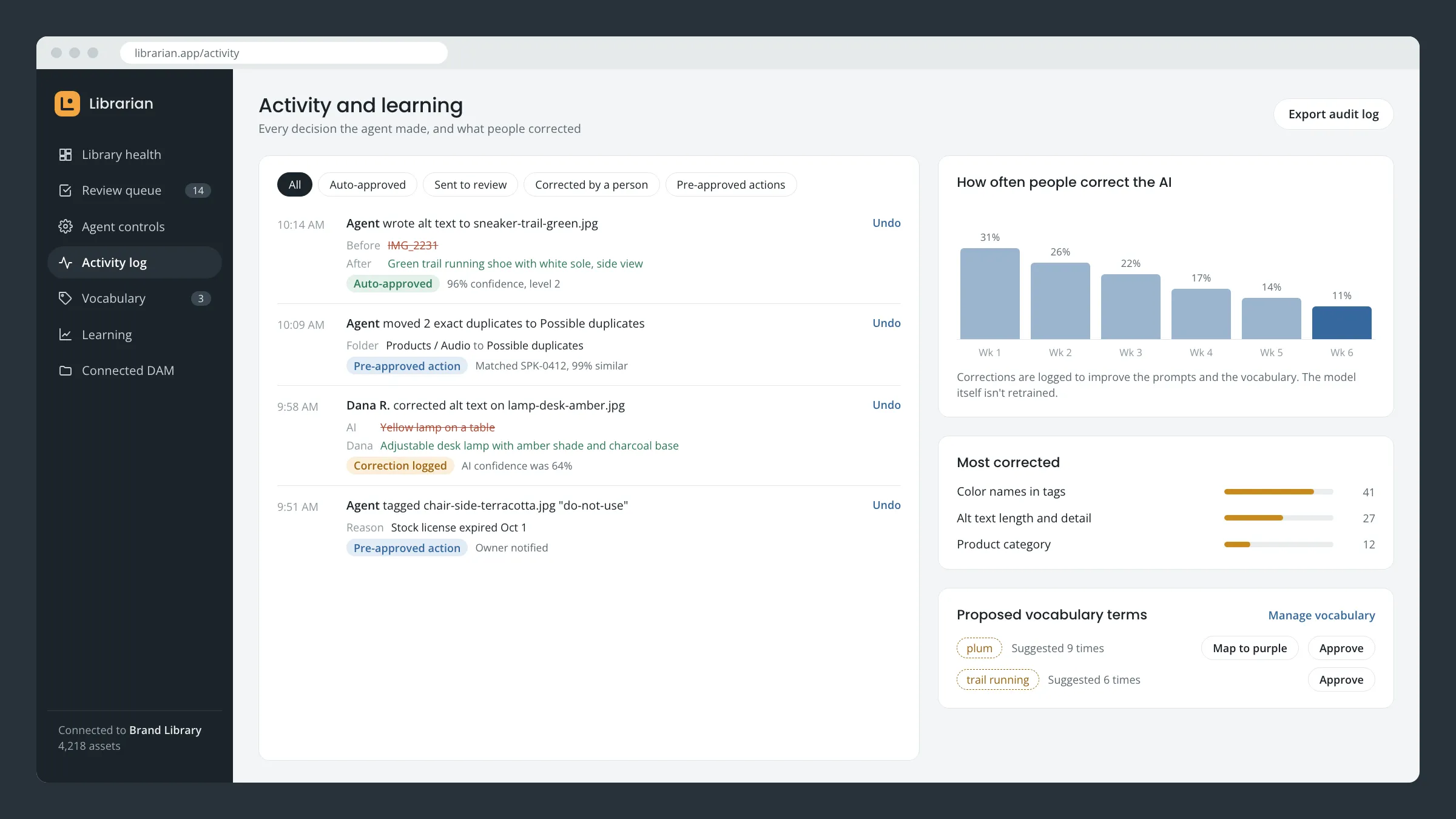 (opens larger)
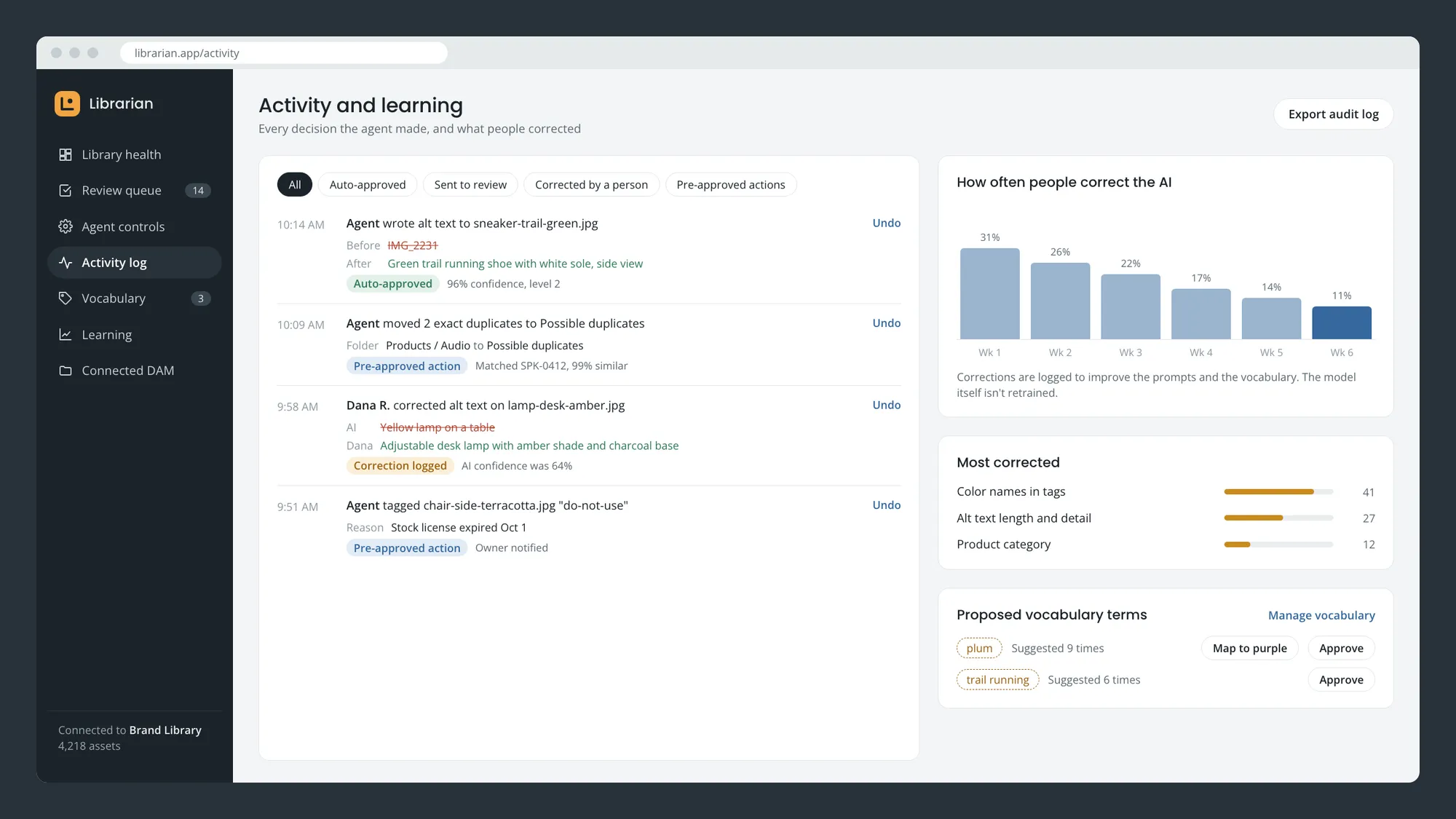
Activity and learning. Every action can be undone, and corrections show where the AI needs help.